Non-Call Slot Configuration
When assigning non-call activities in Monet various configuration options are available. The following describes the different options in the configuration menu found in Setup > Workgroups > Non-call.
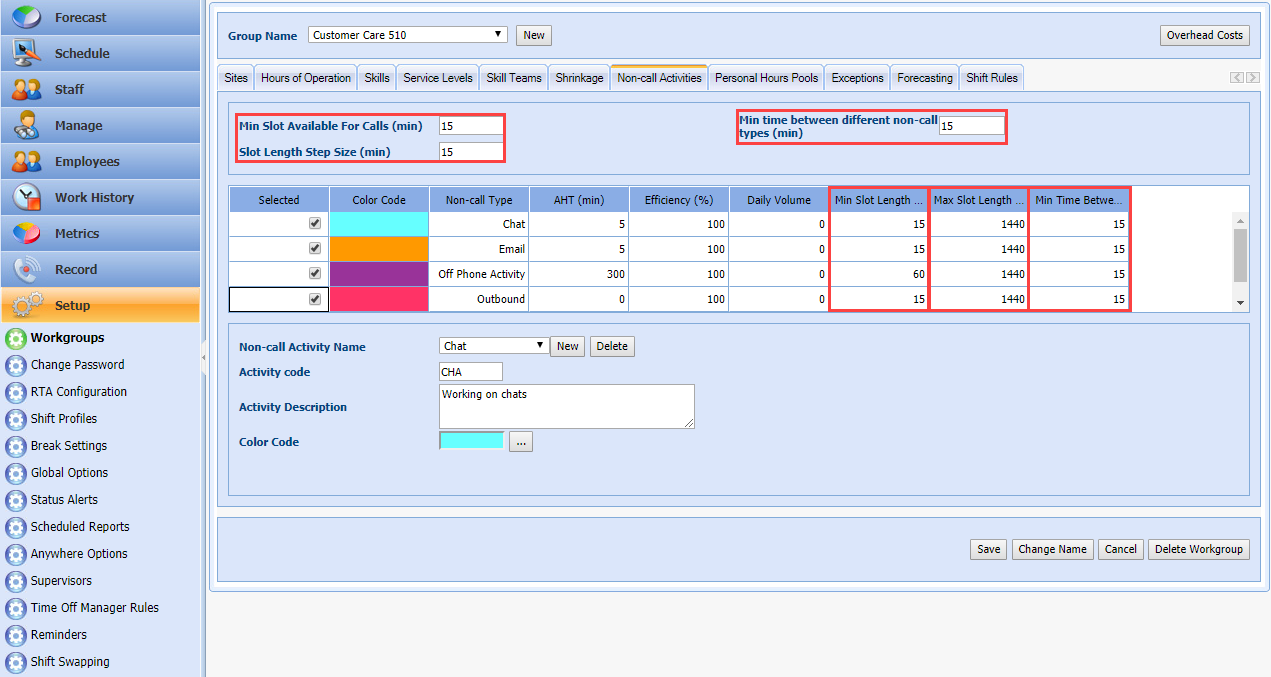
- Min Slot Available For Calls - This defines the minimum block length for call handling activities. Using this setting could prevent an agent from finishing non-call then having 15 minutes of call taking before a lunch break is assigned. You could ensure that agents always take calls for at least 1 hour for example.
- Min Time Between Different Non-Call Activities - This defines the minimum amount of time between the end of one non-call session to the start of another. Example: Agent Andrew starts his shift with 2 hours of "Non-call Email" handling, and Supervisor Sam wants to make sure Andrew gets two hours of call handling before getting assigned to the "Chat" non-call activity.
- Slot Length Step Size - This is used in conjunction with the minimum and maximum slot length and is used to limit the non-call block sizes. Example: The supervisor wants to allow non-call to be handled in 30-120 minute slots but doesn't want to allow slots of 0:45, 1:15, or 1:45. By setting the step size to 30, you ensure that every non-call block is a multiple of 30 minutes such as 30, 60, 90, or 120 minutes.
- Min Slot Length (Per non-call activity type) - This is the smallest allowable non-call activity slot size.
- Max Slot Length (Per non-call activity type) - This is the largest allowable non-call activity slot size.
- Min Time Between (Per non-call activity type) - This is the minimum amount of time between non-call activities. Setting this will ensure that multiple non-call activity sessions can be spaced apart if desired.
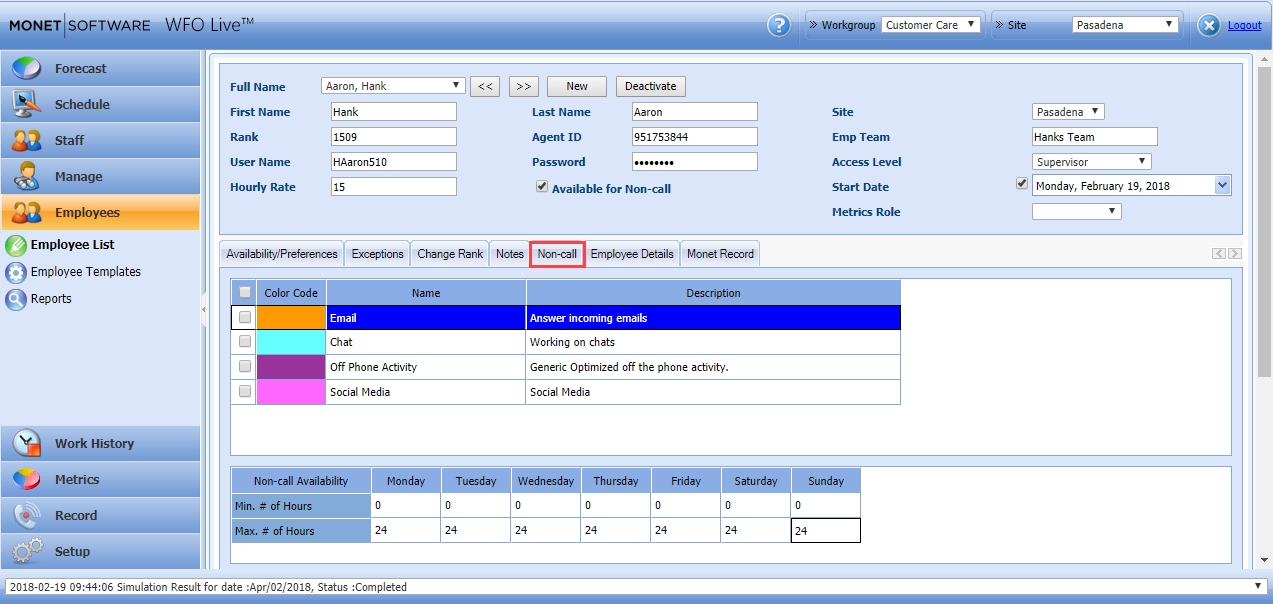
NOTE: individual employee settings for non-call are located in Employees > Employee List > Edit > Non-call.